Weekly Bathroom Cleaning
Refer this doc for SOP of bundle placed on and after 28th May - https://docs.google.com/document/d/1Ts5N3N6TV3mUg7fEIe47fAoYUOFDHjxQ2hTCvg30PT0/edit?usp=sharing
Sop for bundle placed before 28th May is mentioned below--
By Cancelling one request will not cancel the Bundle
1. Weekly Bathroom - If one request is cancelled , Bundle will not be cancelled as every request is individual
Ex- So If customer want to cancel one request, we do the same and refund of that request will be refunded and rest plan will be active , in case customer want refund of remaining Session we will cancel by OPT IN and rest refund will be done
So no Manual Refund is Required.

2. We will not do Manual fan out to the pro in weekly bathroom ,we will pitch for same request cancel or complete bundle cancel.( if a customer asks to change the professional, we will guide the customer to navigate the app and select the active WBC service - go to need help option and click on the pro-change option if the customer can get that option close the case post new professional is assigned, if not inform the customer that professional cannot get change and follow the existing SOP) Note - customer can change the pro only once.
3. In Auto Renew cases - Initially the booking payment state will be in pending and customer will get the link to make the payment from through UC app before or after the service and once the service is delivered this will be shown as fully paid
4. In case - customer wants to cancel the Auto renew option First guide the customer to get it done through WhatsApp only through which he auto renewed the plan in case unable to do then raise it to Satya.
5. There will be no direct / Cash payment to the pro by Customer or by Us.
6 In case of No show , we will pitch reschedule of the same request instead of cancellation. We will cancel the request or bundle only if customer ask for it.
In case of No show/ No response , We will not give any TOA to customer.
7. Customer can Edit / change Time of booking / Plan from the Application Itself.
8. Customer will get a message from UC over WhatsApp to auto renew the plan.
9. We'll not manually refund the routine amount, instead we'll cancel the routine for the automatic refund. In any rare scenario where we've to refund the cx manually then it has to be approved by Victor Joseph over the email and ticket will be parked till then.
10. 10 . In case customer is reaching out to us to reschedule the request or we have to reschedule the booking due to some reason , we won't be rescheduling the request post 3 Days . For ex- If a request is initially scheduled for 1st June then the max we can reschedule is for 4th June not after that because there should be a gap between 2 services .
Dashboard Navigation --
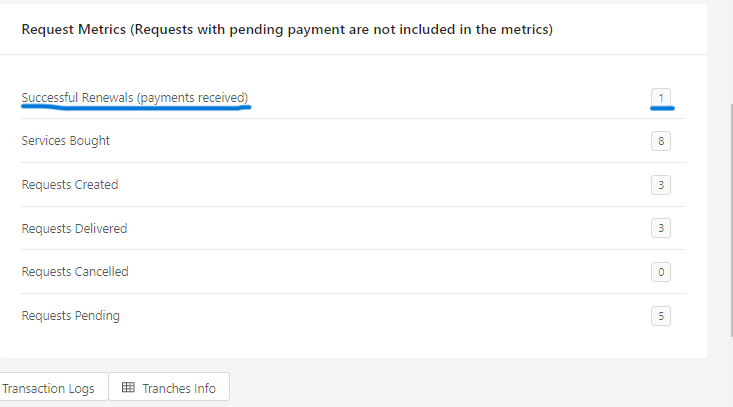
Here we can see how many times customer has made the payment of renewal.
Click on Tranches Info to check the details of a bundles-
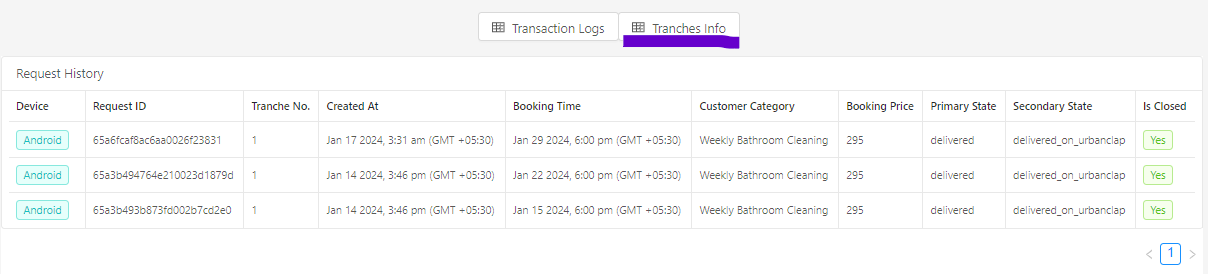
In pricing summary you can check number to services delivered in a particular bundle . In the below mentioned screenshot three services are delivered of a bundle .
 In payments and refunds section you can check the total amount paid by the customer for a bundle .
In the above mentioned screenshot 1575 rs has been refunded to the customer as the bundle was cancelled .
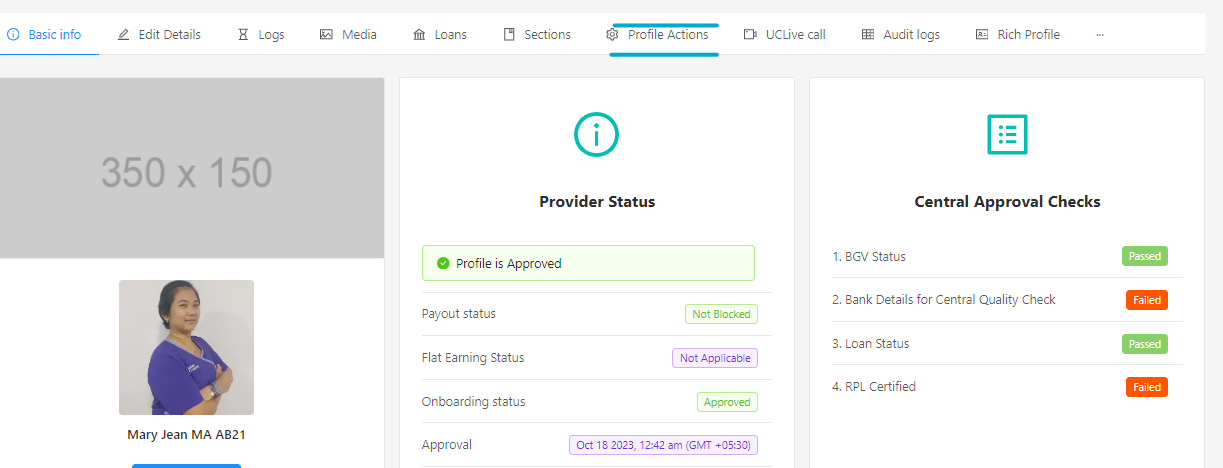
If customer is reaching out to us for No show concern and we found out that pro is permanently archived in that case we need to open partner's profile
Click on profile actions and then click on routine routine transfer .
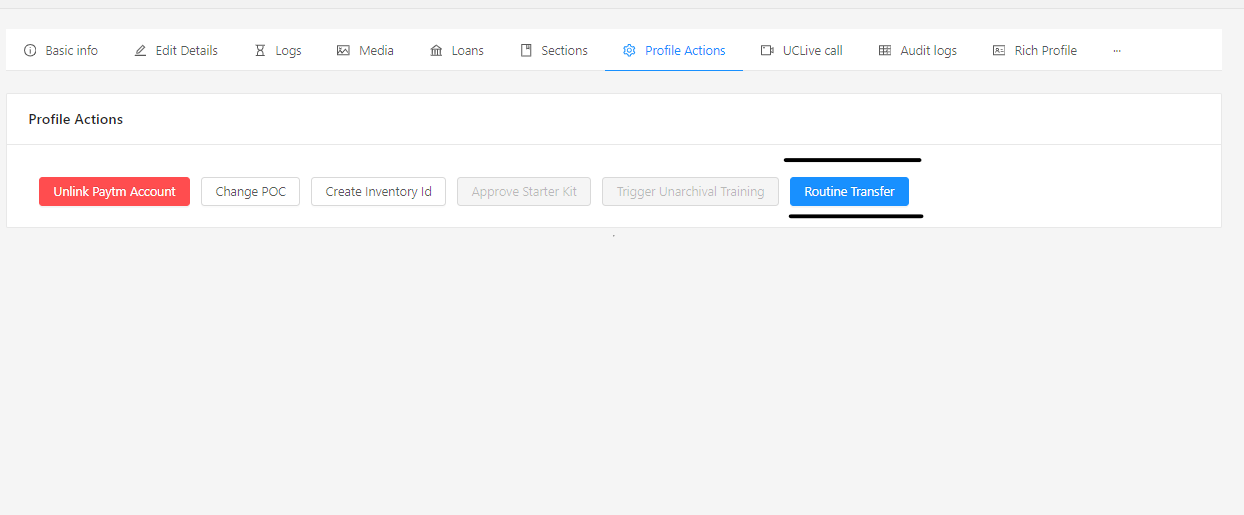
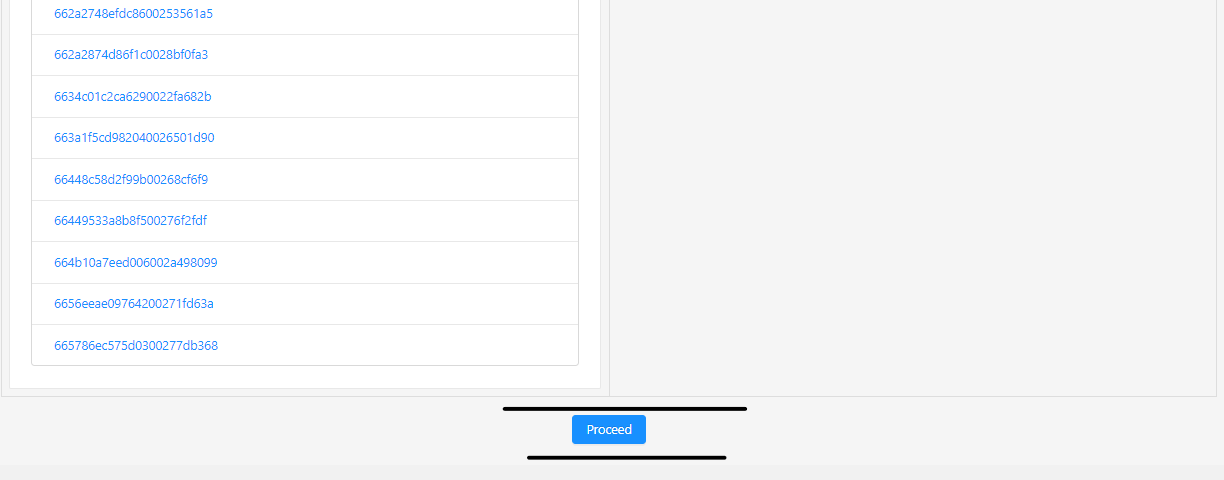
After clicking on routine transfer you will be able to see the list of available providers

After selecting the available partner we need to click on proceed after this all the assigned routines of the current partner will be assigned to the new partner.
Points to be remembered while transferring the leads .
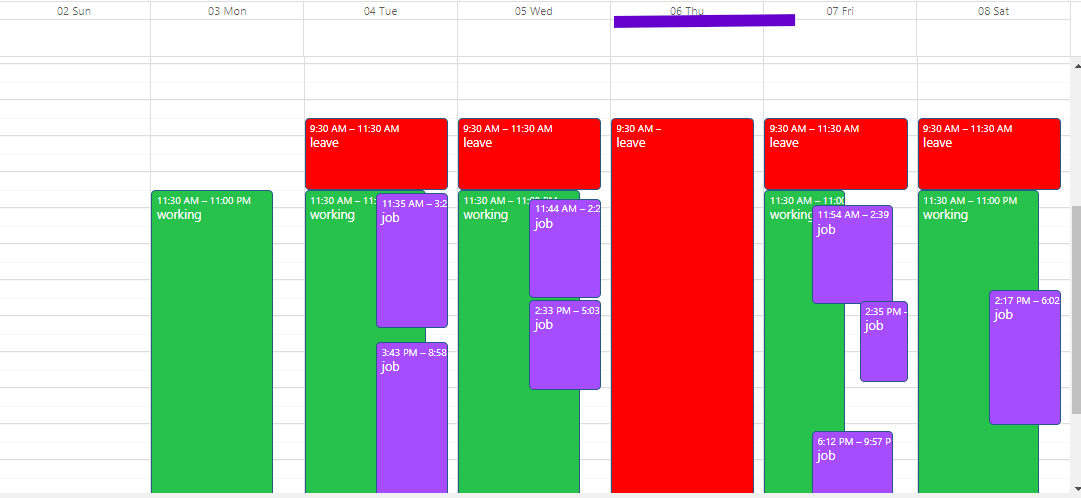
Please ensure that the new pro has the same leave plan as the old partner [e.g. same day of week as their weekly off]
Weekly leave marked for every Thursday
Weekly leave marked for monday
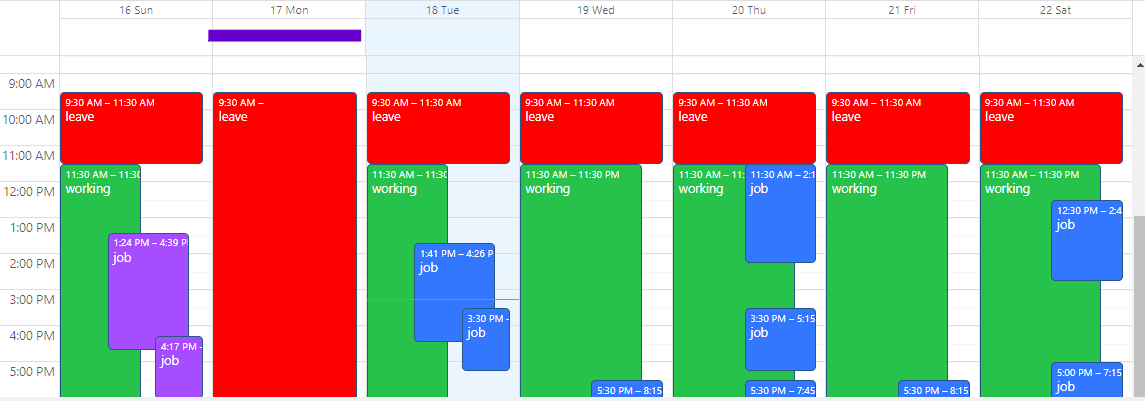
Post completion of transfer, check both partner's calendar to verify if the transfer has been successful
If a partner is temporarily blocked in that case we won't be transferring the routines to another pro.