Updated: 20 December 2024
Amazon/Flipkart/Rento-mojo SOP
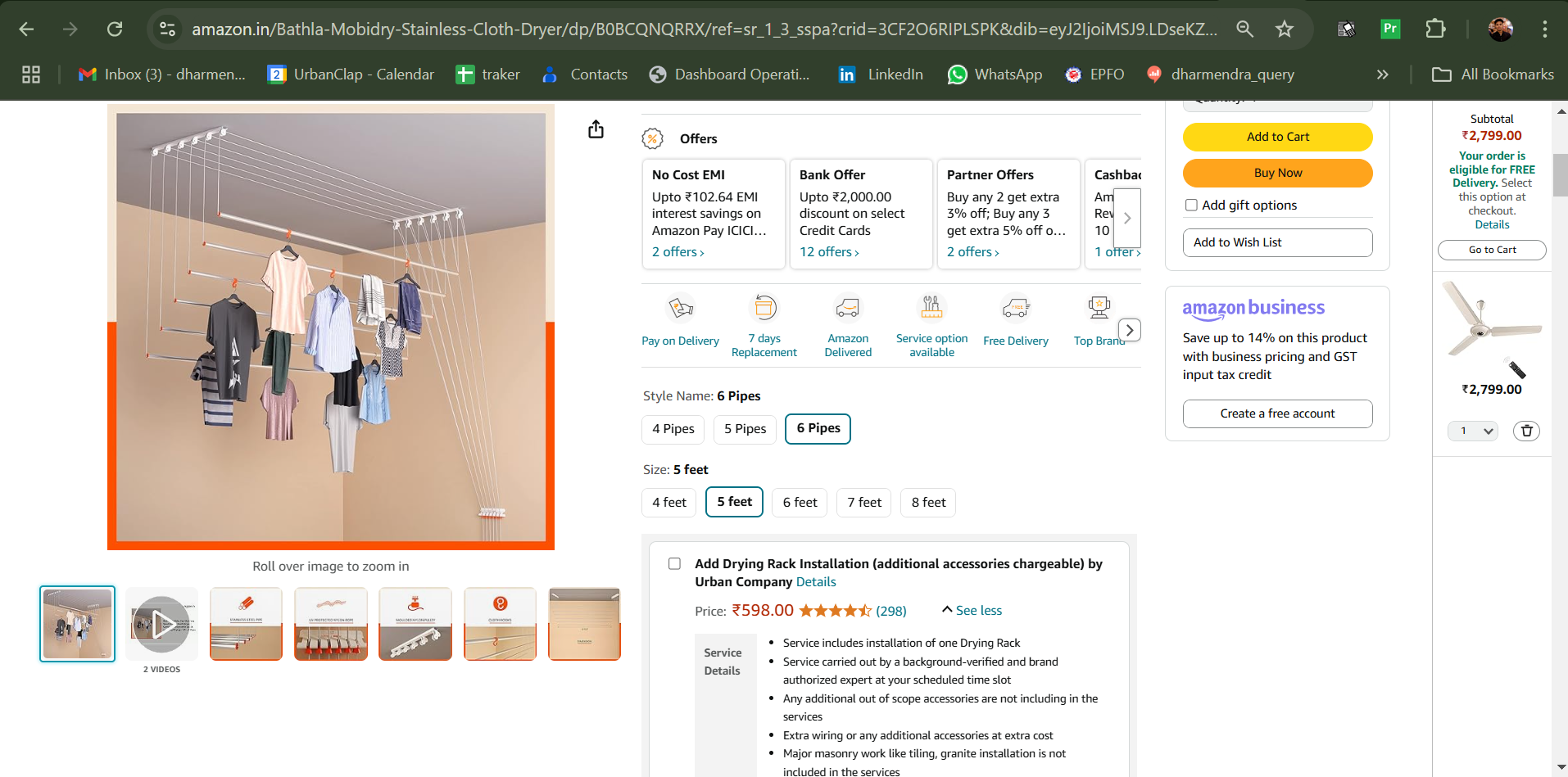
When customers visit the Amazon portal, they are given the option to select UC services.
Important Note:
In case a customer reaches out to us regarding charges: All service-related information will be available in the application while placing the booking.
Any extra work beyond the scope of the booked service will be chargeable.
Steps to Check:
-Open the Amazon booking.
-Add the quantity.
-Scroll down to view all the service inclusions and exclusions.
Link :- Ecomm Order Status
Payment done to Amazon but booking not placed in UC app
- We will ask the customer to share the order ID- This will be reflect in Amazon app
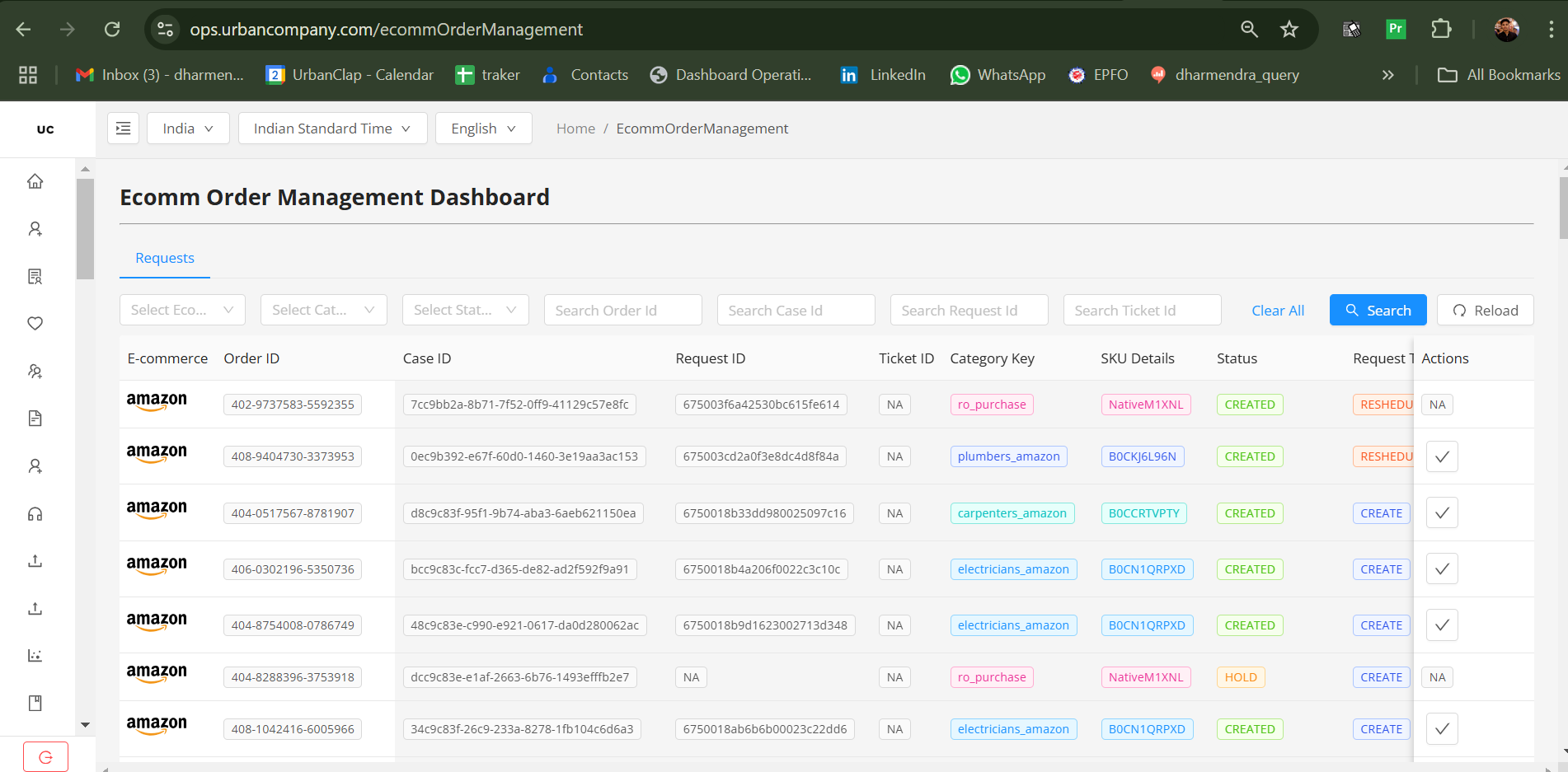
-We will Open the link- https://ops.urbancompany.com/ecommOrderManagement
-Serch order ID
-Check the Status( Important) : When an agent enters the order ID into the link to check the booking status and it shows "hold," it means the booking has not been placed. In this case, the agent must place the booking for the customer from the business account on COD (Cash on Delivery). After placing the booking, the agent should share the required ID with Karuna so that the business team can release the payment to the provider.)
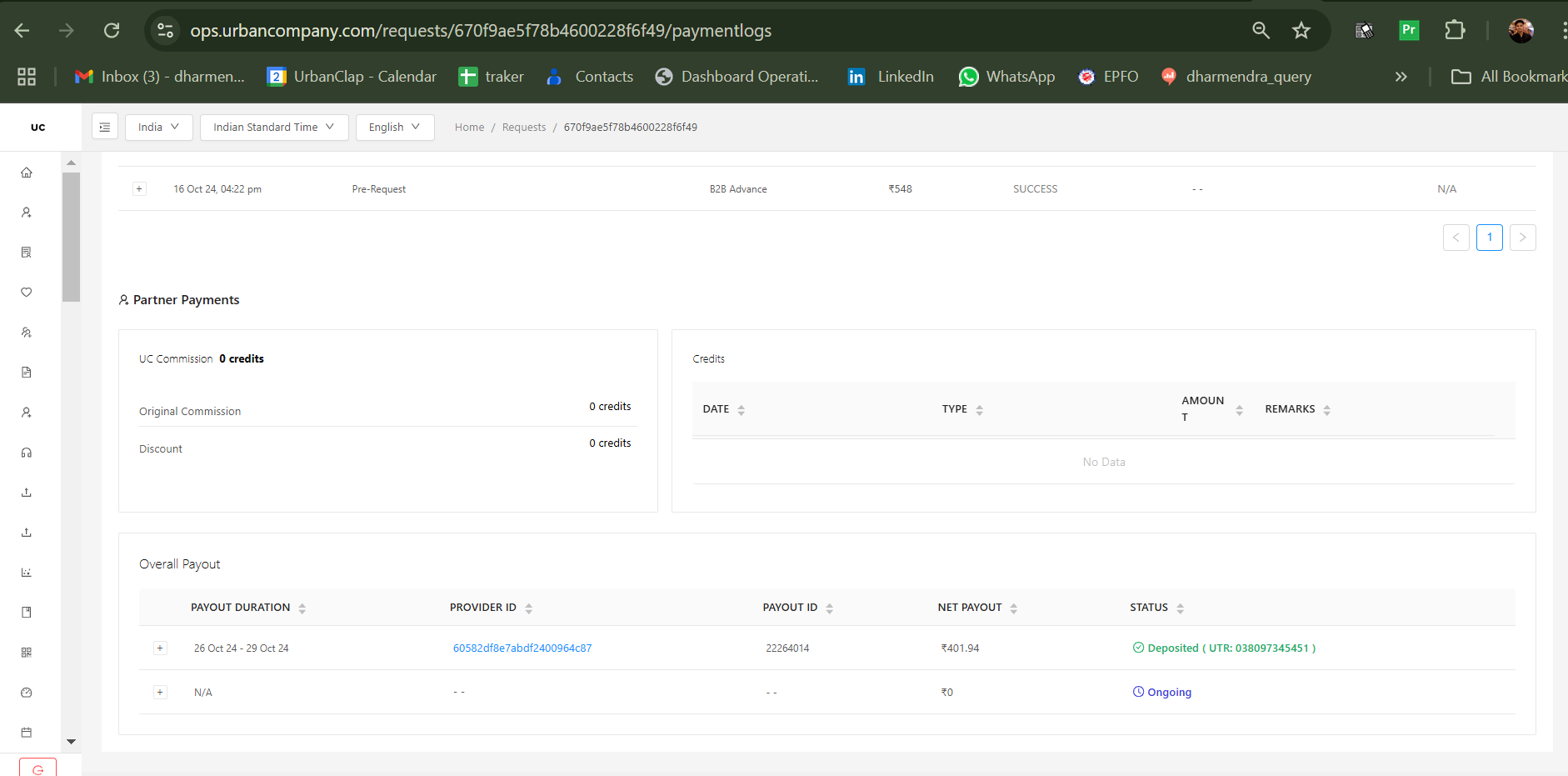
3. How to check if the payment for the Amazon booking has been sent to the partner?
We can check the request in the request monet through the UC customer request.
| Basic Flow |
Amazon and Flipkart SOP |
| Poor service quality |
If auto revisit Slot not available / Revisit no show / Pro denied revisit / Issue not resolved after revisit -
We will pitch 30%, if cx is not aligned then we will pitch 50% and if cx is not adamant for full refund we will refund 100% refund after TL/Client Approval.
|
| Incomplete service |
Call the partner & Confirm the reason for providing incomplete service
2 attempts to be done to the assigned professional for the same, Post that we can refund the amount to the cx as per VOC
Pro deduction to be done after partner confirmation only |
| Partner Not Carrying All Equipment |
Call Professional to check if part of the service or not
Pro ready to work - Will check with the PX and confirm the timings to CX
Pro Denied to work - Reschedule the booking or cancel with refund. If Cx still wants the booking Pls mark a mail to Karuna/Sajan for creating booking for the Customer.
|
| Partner Not Wearing Uniform |
Take the feedback and assured the customer. If Cx Adamant - then offer 39 UC credits Only |
| Partner Stole Something/Pro Absconded with Money/ Parts |
Agent has to Create a Community Ticket from Dashboard |
| Partner Behaved Rudely |
A Normal Arrgument With the Customer - Take the feedback and assured the customer.
Misbehaving/Using profenity/Threatning the customer - Raise T&S Ticket and share email on Trustsafety@urbancompany.com
|
| Ongoing service |
If the partner has started the job and it’s been more than 24 hours, We will align the customer for cancelation and pitch for a new booking.(Please Mark a mail to Karuna/Sajan for Place a new booking for the customer)
a. We will cancel under pro at fault If the delay is from the partner’s end.
b. For cases where spares are not available, we will cancel under Job OOS. |
| Partner No Show |
1. Pro late - We reschduled the booking
2. Pro denied - Reschedule the booking or cancel the booking. If Cx still wants the booking then Mark a mail to Karuna/Sajan for create a booking for the customer,
3. Out of scope - We reschduled the booking.
For Loyal - Pitch TOA (100) to the cutsomer for all NO show scenarios.
|
| Payment related Payment gateway issues |
When a booking is cancelled and asked for refund - Inform CX to contact Amazon/Flipkart for refund assistance.
Payment done but showing pending in app - We need to call to the pro here and informed him to end the job on cash. (In this scenario cx alreday paid to amazon so cx didn't need to pay again to pro )
Pro PNR - We will Follow PNR for 24 hrs. If still the pro is PNR we will cancel the booking.
|
| Double Payment |
1. CX already paid to Amazon/Flipkart, and Pro charges again:
- Request CX to share screenshot.
- Conduct conference call with CX and Pro.
a. Pro confirms Deduct from Pro, refund to CX.
b. Pro is PNR (No Response):
- Verify amount via screenshot.
- Refund CX.
- Fill deduction form
2. If pro is PNR and cx paid the amount in cash - we will create Community. |
| Payment_related_-_bill/invoice |
1.In such cases, where the customer reaches out to us and requests an invoice, we inform the customer that only Amazon/Flipkart will provide the invoice to them.
2. If any extra work done by the pro then we will send payment summary to the cx for the extra work. ( Agent has to Fill OB form with the required details) |
| Overcharged/ Damage |
Pls convert this cases to L2 team (These cases handled by L2 team) |
| Pre service |
Follow this for pre service cases - https://cx-vip.helpsite.com/articles/101713-sop-pre-services |
Imp Pointers:
1. Product not delivered : If a customer reaches out to us and mentions that the product has not been delivered and they want to reschedule the booking, we confirm the product delivery date with the customer and reschedule the booking based on their availability.
2. Different quantity of the service : For example : The customer purchased three geysers and placed a booking for geyser installation through Amazon however the quantity of the geyser installation service visible to the professional is one. So the professional provides service for one only geyser installation.